























小白也能看懂的电竞屏不踩雷指南 | How to Choose a Gaming Monitor?


说到电竞屏,就先想到刷新率。

Q&A 小白也能看懂的电竞屏不踩雷指南
1 经常看到「高刷xxx Hz」前面有「原生」俩字,是什么?重要吗?
运动图像响应时间 MPRT|灰阶响应时间 GTG|刷新率|输入延迟🖼️画质:看清细节、呈现层次
角像素密度 PPD|对比度|色域覆盖率|亮度均匀性|色度均匀性|暗态不均匀性 Black Mura👁️舒适:减少光线干扰
闪烁|低蓝光|表面反射率 SCI|表面反射率 SCE
7 产品获得认证,对玩家来说承诺了什么?
确认产品的原生电竞真性能,产品参数代表真实、稳定的能力;✅准:体验精准
科学评价体系基于人因研究建立,突破传统参数导向,结合人因实验数据,更准确评价产品带给玩家的真实体验;✅细:场景全面
认证对竞技、沉浸和综合三类典型游戏场景进行测试评价与评分;加权后形成电竞综合性能指数与星级评级。
How to Choose a Gaming Monitor
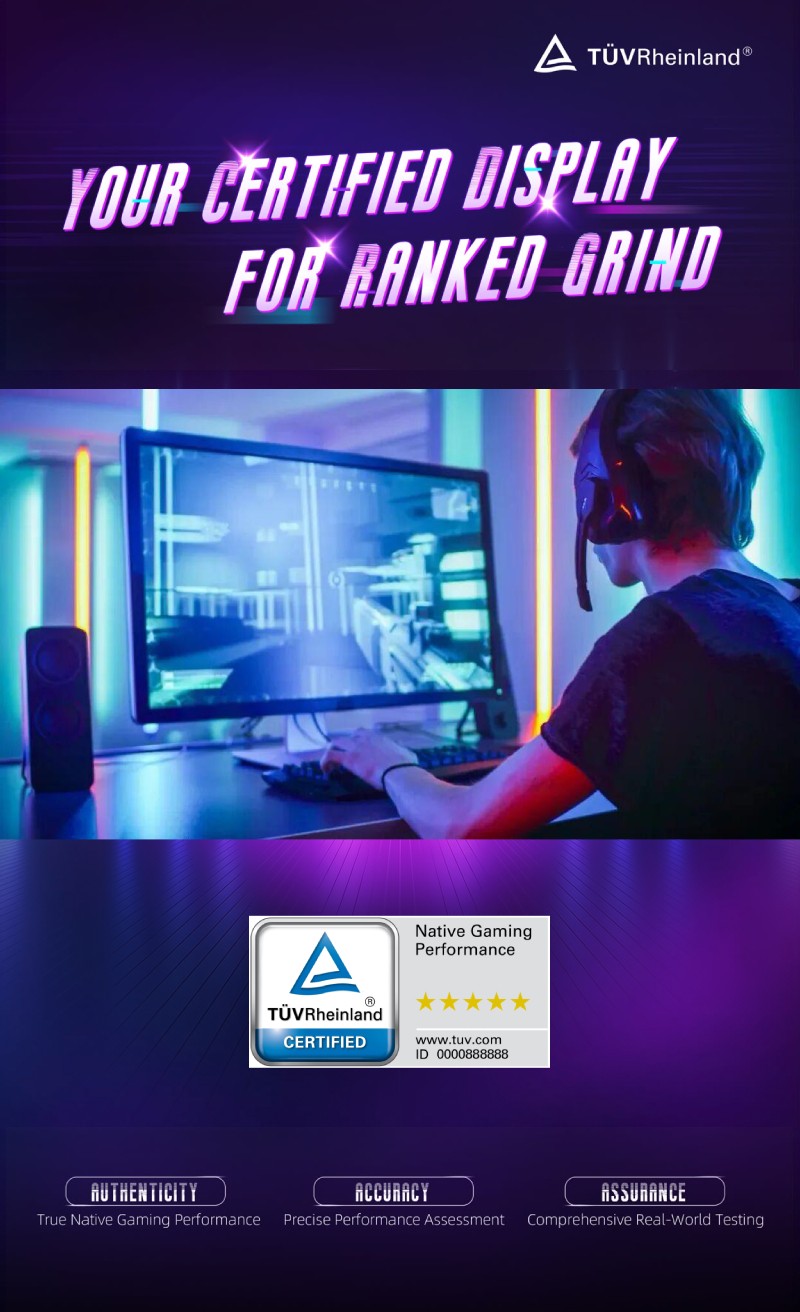
Understanding TÜV Rheinland Native Gaming Performance Certification
A high refresh rate is often the first number gamers look at. But we’ve all been there, the box says 360Hz, the gameplay still feels muddy, ghosty or just…off. Specs on paper don’t always match what you actually see and feel in-game.
With terms such as native refresh rate, GTG and MPRT appearing in product descriptions, The marketing soup gets thick fast. That’s where TÜV Rheinland’s Native Gaming Performance Certification comes in, it provides an independent framework for evaluating performance claims and the gaming experience, helping consumers make more informed choices.
Why native refresh rates matter
A native refresh rate is what the panel and the monitor’s hardware can do without overlocking. It reflects the capabilities built into the complete product.
When you are comparing monitors, check whether the stated figure is native or just on overlocked mode. Same goes for dual-model panels, knowing the difference stops you from getting hyped on a number that only exists in a special setting.
Refresh Rate is only half the Story
A high refresh rate alone does not guarantee clear motion or minimal ghosting. The overall gaming experience also depends on pixel response, image quality and visual comfort.
- Grey-to-grey response time (GTG) measures how quickly pixels change between shades of grey.
- Motion picture response time (MPRT) is another measure used to assess motion clarity.
These indicators help explain why monitors with similar refresh rates can deliver different experiences. The test methods behind the numbers matter too. Comparing headline specifications becomes more useful when products are assessed against a consistent, professional framework.
A consistent approach to Assess Gaming Performance
TÜV Rheinland launched its gaming display standard at ChinaJoy 2026 as the foundation for Native Gaming Performance Certification. The highest rating is 5 stars.
The framework clearly separates native, overclocked and dual-mode refresh configurations. It tests the complete monitor within the same operating mode and excludes refresh rate overclocking from the certification scope. This ties the assessment to the product’s native capabilities in the certified configuration.
What Gets Tested
The assessment covers 14 indicators across three dimensions,
| Dimension | Assessment criteria |
| Motion performance 4 indicators |
Motion picture response time (MPRT), grey-to-grey response time (GTG), refresh rate and input lag. |
| Image quality 6 indicators |
Pixels per degree (PPD), contrast ratio, colour gamut coverage, brightness uniformity, chromaticity uniformity and black mura, or unevenness in dark screen areas. |
| Visual comfort 4 indicators |
Flicker, low blue light performance and two surface reflectance measurements, SCI and SCE. |
In short: how clean the motion is, how good the image looks, and how comfortable it is to stare at for long sessions.
From Lab numbers to Actual Game Feel
TÜV Rheinland’s ties the measurement to real human factors and gaming scenarios.
Products are assessed and scored for
- Competitive Play,
- Immersive / Single-player and
- General gaming scenarios.
These scores are weighted to produce an overall gaming performance index and a star rating, giving buyers a clearer indication of a monitor’s capabilities.
| Rating | What it means |
| Three stars | Solid for most gaming scenarios. |
| Four stars | Excellent overall gaming performance. |
| Five stars | Excellent overall gaming performance & outstanding results in at least one scenario category. |
How to check if a monitor is certified
- Go to TÜV Rheinland’s certificate database: www.certipedia.com
- Enter the unique ID on the certification mark (or just scan the QR code next to it)
- Verify the model number, certified resolution, refresh rate, and operating mode
This tells you exactly which configuration was tested — no guesswork.
For gamers, TÜV Rheinland Native Gaming Performance Certification offers independent evidence of a monitor’s real native capabilities and a structured assessment of its overall performance across different types of play. For manufacturers and brands, it’sa credible way to back up performance claims and communicate product strengths.
If you’re tired of marketing hype and want something that actually reflects what you’ll experience in-game, look for the TÜV Rheinland Native Gaming Performance mark.


关注我们
4001183833 / 8009993668
Service-gc@tuv.com
www.tuv.com
德国莱茵TÜV是一家国际领先的技术服务供应商。在全球近60个国家和地区设有500多个分支机构,拥有超过20,000名员工,服务涵盖工业服务与信息安全,交通服务,产品服务,管理体系服务和莱茵学院与生命关怀。自1872年成立以来,我们一直为解决人类、环境和科技互动过程中出现的挑战,提供安全的、可持续的解决方案。作为一个独立、公正和专业的机构,我们长期致力于营造一个同时符合人类和环境需要的美好未来。
热门分享